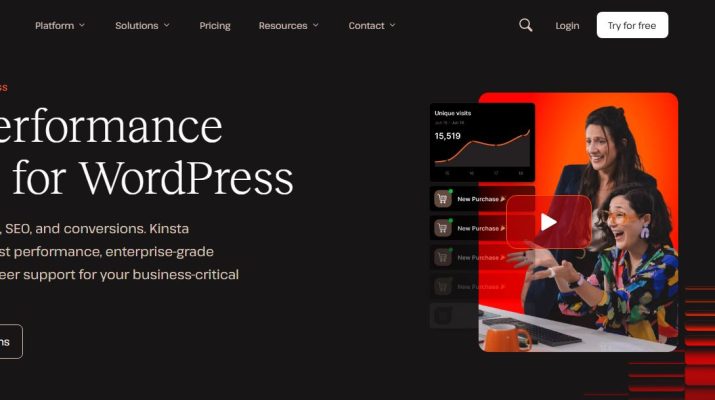
Kinsta Premium WordPress Hosting review 2026
The Good
- Managed WordPress hosting with performance-focused infrastructure
- Google Cloud infrastructure and Cloudflare integration
- Automatic backups and security features
- 24/7 support from WordPress specialists
- Easy-to-use MyKinsta dashboard
- Staging environments for testing website changes
- Migration assistance for eligible websites
- Useful for bloggers, affiliate marketers and growing online businesses
The Bad
- More expensive than many budget hosting providers
- May be overkill for new blogs with little traffic
- Plan limits and potential additional charges need consideration
- Good hosting alone won’t fix poorly optimised websites
- Some technical configurations may not suit Kinsta’s managed environment
Verdict: Kinsta is a premium managed WordPress hosting provider that offers useful performance, security and website management features. It’s worth considering for established bloggers, affiliate marketers and businesses that rely on their websites, particularly if reducing technical administration is a priority. However, budget-conscious beginners may be better off starting with cheaper hosting and upgrading when their website grows.
Captain FI is not a financial advisor, does not hold an AFSL and this article is not financial advice. This website is reader-supported, which means we may be paid when you visit links to partner or featured sites, or by advertising on the site. For more information please read my Privacy Policy, Terms of Use, and Financial Disclaimer
Executive Summary
If you’re running a WordPress blog, website or online business, choosing the right web host can make a bigger difference than you might think.
Your hosting provider helps determine how quickly your website loads, how reliably it stays online, how well it’s protected against security threats, and how much time you spend dealing with technical problems.
When you’re trying to grow an online business, the last thing you want is to spend your evenings troubleshooting server issues instead of creating content, helping customers or working on your next project.
That’s where managed WordPress hosting comes in.
One provider worth considering is Kinsta, a premium managed WordPress hosting platform designed to take much of the technical complexity out of running a website.
But is Kinsta worth paying more for? How does it compare with cheaper hosting providers? And does it make financial sense for bloggers, affiliate marketers and small business owners?
In this review, we’ll look at what Kinsta offers, its key features, pricing, advantages and disadvantages, and who should consider using it.
Affiliate disclosure: This article contains affiliate links. If you sign up for Kinsta through our links, we may receive a commission at no additional cost to you. This helps support Captain FI and the work that goes into producing free content. We aim to provide useful, honest information so you can decide whether the service is right for you.
Interested in managed WordPress hosting? Explore Kinsta’s hosting options through our partner link.
What is Kinsta?
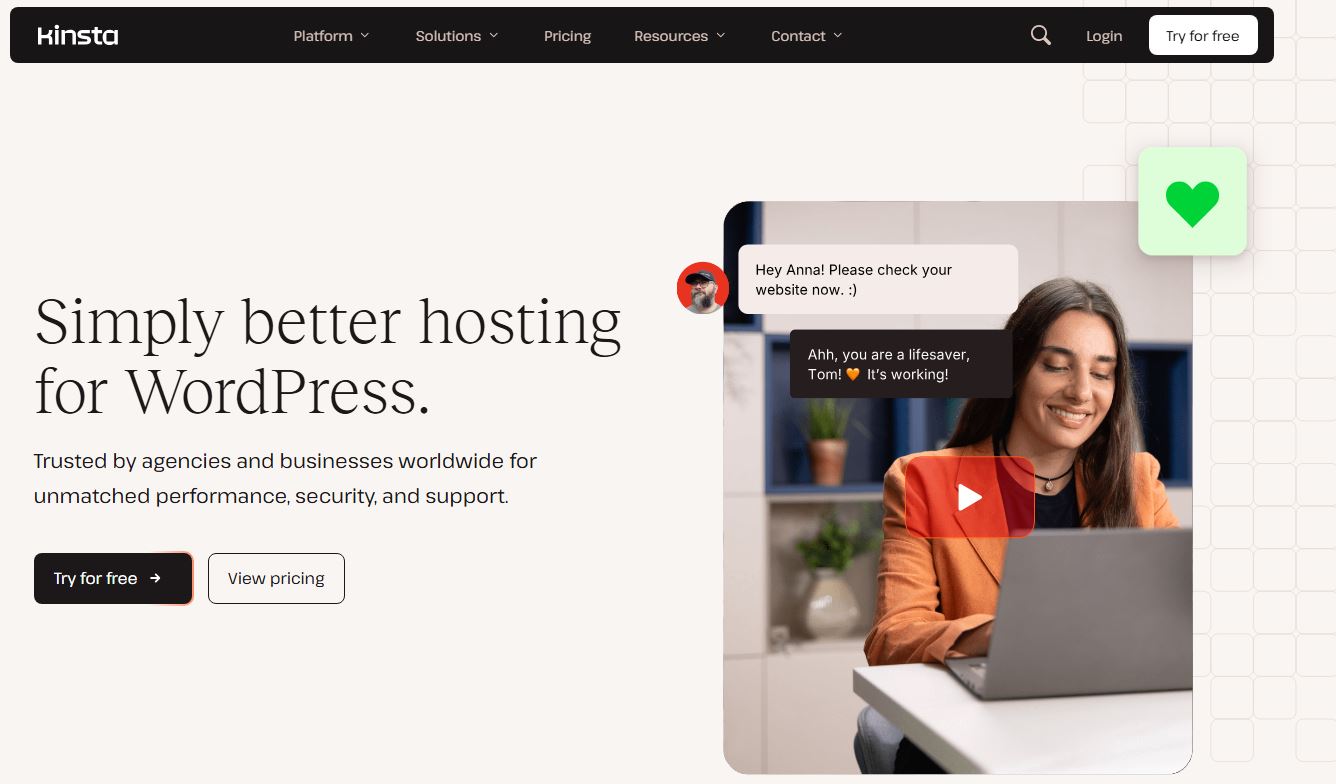
Kinsta is a managed hosting provider specialising in WordPress websites.
Unlike traditional web hosting, where you’re often responsible for configuring and maintaining much of your website’s technical environment, managed hosting takes care of many of these tasks for you.
Kinsta provides a hosting environment specifically designed for WordPress, with features covering performance, security, backups, website management and technical support.
The platform uses Google Cloud infrastructure and integrates Cloudflare services to help deliver website content efficiently and protect websites against certain online threats.
Kinsta also provides a central dashboard called MyKinsta, where you can manage your websites, monitor resources, create staging environments and access hosting tools.
The idea is simple: spend less time managing the technical side of your website and more time building your business.
For bloggers and online entrepreneurs, that can be an attractive proposition.
Why does your choice of web hosting matter?
When you’re starting a blog, it’s tempting to choose the cheapest hosting plan available.
After all, hosting is just another business expense, and keeping costs down is important when you’re trying to build an online income stream.
However, the cheapest option isn’t necessarily the best value.
Imagine you’ve spent hundreds of hours writing articles, building an email list, developing affiliate partnerships and attracting visitors through Google.
Your website is now generating advertising revenue, affiliate commissions or customer enquiries.
If your website becomes slow, experiences downtime or suffers a security issue, you could lose visitors, sales and valuable time trying to resolve the problem.
Even without a major outage, poor performance and a frustrating hosting setup can create unnecessary work.
That doesn’t mean you need expensive hosting from day one. A new blog with minimal traffic probably doesn’t need the same infrastructure as a large commercial website.
But as your website grows, reliability, performance and support become increasingly important.
This is where a managed hosting provider like Kinsta may justify its higher price.
What makes Kinsta different?
Kinsta’s main selling point is that it combines managed WordPress hosting with tools designed to simplify website administration.
Here are the features worth understanding.
1. Performance-focused hosting
Website speed matters.
Visitors generally expect pages to load quickly, particularly when browsing on mobile devices. A slow website can create a frustrating user experience and make it harder to convert visitors into subscribers or customers.
Kinsta offers several features designed to improve website performance, including:
- Hosting infrastructure optimised for WordPress.
- Server-level caching.
- A content delivery network (CDN).
- Cloudflare integration.
- Performance monitoring and diagnostic tools.
- Database optimisation.
A CDN helps deliver certain website resources from locations closer to visitors, reducing the distance those resources need to travel.
Server-level caching can also reduce the work required to generate frequently requested pages.
These features can be particularly useful for content-heavy websites with large libraries of articles, images and other media.
Having caching and related performance features managed at the hosting level can also reduce the need for additional plugins, depending on your existing configuration.
The important caveat: Good hosting alone doesn’t guarantee a fast website. Poorly optimised images, excessive plugins, inefficient themes and third-party scripts can all affect performance.
If you’re considering switching hosts specifically to improve speed, test your existing website before and after migration rather than assuming you’ll automatically see a particular improvement.
2. Managed WordPress hosting
One of Kinsta’s biggest advantages is the managed nature of its service.
Traditional hosting often gives you access to a general-purpose server environment, leaving you to configure and maintain various aspects of your website.
Kinsta instead provides a WordPress-focused environment and manages many of the underlying hosting responsibilities.
You still need to look after your WordPress content, plugins, themes and overall website configuration. Managed hosting isn’t the same as having someone run your entire online business for you.
However, outsourcing more of the infrastructure management can be valuable if you’re not particularly interested in server administration.
For a blogger, this means fewer technical jobs competing for your time.
For a small business owner, it may mean less need to troubleshoot hosting problems yourself.
And for someone running multiple websites, having a consistent management environment can make ongoing maintenance more straightforward.
3. Security and backups
Website security is one of those things that’s easy to overlook until something goes wrong.
WordPress websites can be exposed to malicious login attempts, vulnerable plugins, malware and other security threats.
Kinsta includes several security-related features, such as:
- SSL support for encrypted connections.
- Cloudflare-powered protection and DDoS mitigation.
- Firewall and security controls.
- Automatic backups.
- Malware-related assistance.
- Website monitoring.
These features can reduce the amount of infrastructure-level security work you need to handle independently.
Automatic backups are particularly useful because they give you a recovery option if an update or other change causes problems.
However, backups aren’t a substitute for good security practices.
You should still use strong passwords, enable two-factor authentication where available, keep WordPress and its components updated, and periodically check that your backups can actually be restored.
For a website that generates income, the ability to recover from a technical problem is an important part of protecting the business you’ve built.
4. Customer support
Technical support is another important consideration when choosing a hosting provider.
If your website goes offline, develops an error or starts behaving unexpectedly, you want access to someone who understands the underlying hosting environment.
Kinsta advertises 24/7 support from WordPress specialists through its support channels.
That can be useful when an issue occurs outside normal business hours or when you need help identifying whether a problem relates to hosting, WordPress or your website configuration.
Richard Perrin from Australian digital agency Paramark has written about his experience moving client websites to Kinsta.
In his review, Richard explains that his team previously spent considerable time managing server issues on conventional cPanel-based hosting platforms.
After moving to Kinsta, Paramark reported improved reliability and a simpler workflow for managing websites.
Richard’s experience is particularly relevant to businesses and agencies that look after multiple websites and cannot afford to spend their time constantly monitoring servers.
You can read his original review through Paramark’s website.
Of course, individual support experiences can vary, and no hosting provider can guarantee that every issue will be resolved immediately.
It’s still worth checking the support arrangements and service limitations for the plan you’re considering.
5. Website staging and easier management
If you’ve ever made a change to a WordPress website only to discover that something has broken, you’ll appreciate the value of a staging environment.
A staging site is a separate copy of your website where you can test changes before applying them to your live site.
This is useful when updating plugins, changing themes, testing new functionality or making more substantial design changes.
Kinsta provides staging tools that make it easier to create a separate environment for this purpose.
The platform also offers website management features through MyKinsta, including backups, site analytics, user permissions and development tools.
For businesses working with web developers or virtual assistants, separate user accounts and permissions can help avoid the need to share a single set of administrator credentials.
These features won’t necessarily matter much if you run a simple blog by yourself.
However, they can become increasingly valuable as your website and business grow.
How much does Kinsta cost?
Let’s talk about the elephant in the room: price.
Kinsta is positioned as a premium hosting provider, and its pricing reflects that.
At the time of writing, Kinsta’s published entry-level WordPress hosting options include a plan priced at US$35 per month, or US$30 per month when billed annually. Eligible introductory offers may reduce the initial cost.
Pricing and promotions can change, so check the current terms before signing up.
Your plan may depend on factors such as:
- The number of WordPress websites you need to host.
- Estimated monthly visits or server bandwidth.
- Storage requirements.
- CDN bandwidth.
- Additional resources or services.
Kinsta also offers more expensive plans for websites requiring additional capacity.
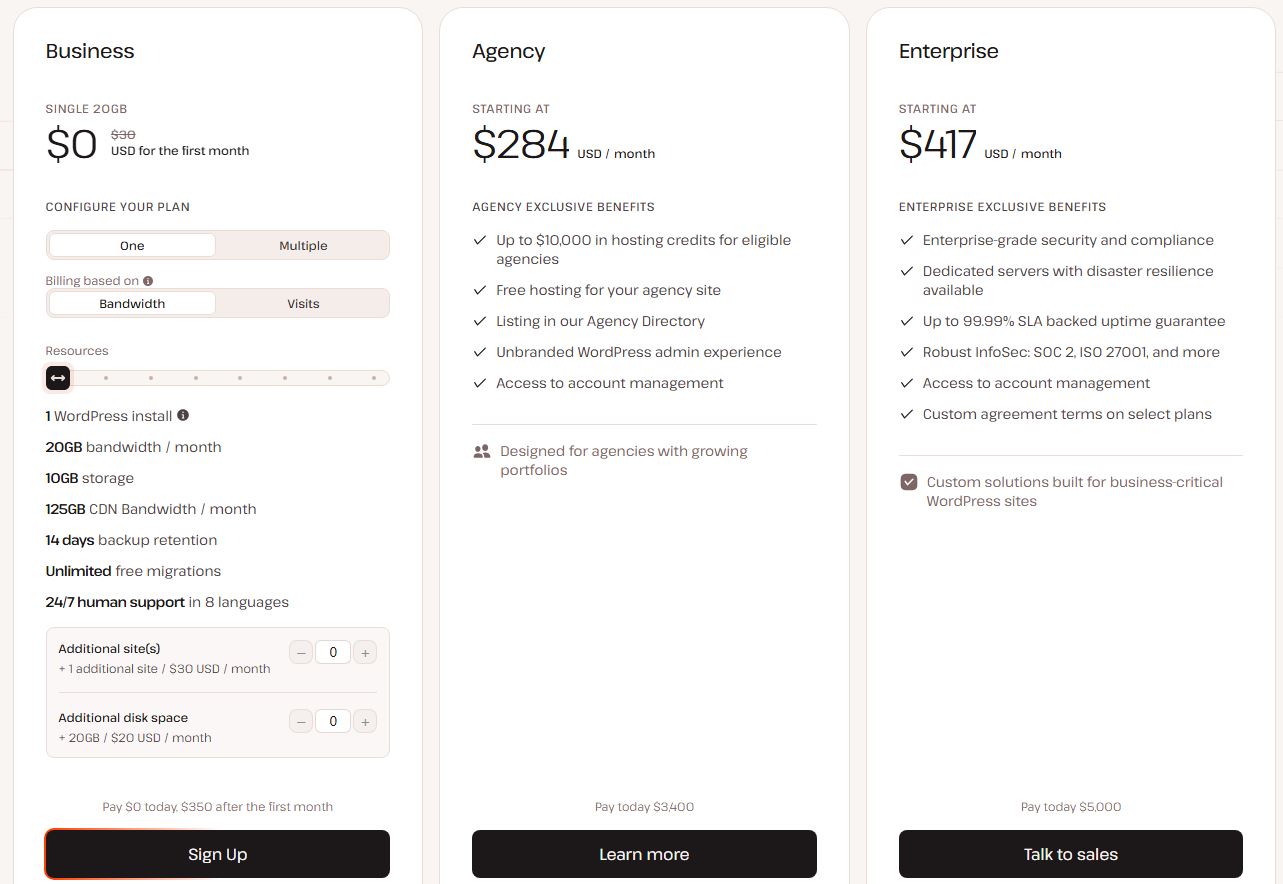
Check the current pricing and plan details through our Kinsta partner link.
Keep in mind that introductory pricing isn’t the same as your ongoing hosting cost. Check the price you’ll pay after any promotional period, along with additional charges that may apply to your setup.
Is Kinsta expensive?
Compared with some entry-level shared hosting services, yes.
You can find cheaper hosting for a basic WordPress blog, and many new bloggers won’t need Kinsta’s more advanced infrastructure.
But the relevant question isn’t simply whether Kinsta costs more.
It’s whether the additional features, reduced technical workload and support justify the difference for your particular website.
Let’s use a simple example.
Suppose your hosting costs an extra US$25 per month compared with a cheaper alternative.
That’s US$300 per year before currency conversion, taxes or any other applicable charges.
If the more expensive hosting saves you several hours of troubleshooting, reduces the need for additional paid tools, or helps you manage a website that generates meaningful business income, that difference might be worthwhile.
On the other hand, if you’re running a new blog that earns nothing and receives very little traffic, spending hundreds of dollars more each year on hosting may not be the best use of your money.
The right decision depends on your stage of business development.
My general rule: spend enough to keep your website reliable, but don’t pay for infrastructure you don’t need.
How does premium managed hosting compare with the cheaper alternatives?
Here’s a general comparison to help you decide.
| Feature | Budget shared hosting | Kinsta managed hosting |
|---|---|---|
| Typical cost | Generally lower | Premium pricing |
| Server management | Varies by provider and plan | Managed hosting environment |
| WordPress optimisation | Varies | WordPress-focused infrastructure |
| Caching and CDN | May require configuration or additional services | Integrated features available |
| Backups | Depends on the plan | Hosting backups included, with options varying by service |
| Technical support | Depends on provider | 24/7 WordPress-focused support |
| Staging environments | May require additional configuration | Staging tools available |
| Best suited to | Budget-conscious beginners and simple sites | Businesses prioritising managed hosting and support |
This is a general comparison, not a claim that every budget host has the same limitations. Many lower-cost providers offer useful performance and security features.
The best choice depends on your requirements, your budget and how much technical work you’re prepared to manage yourself.
Kinsta pros and cons
No hosting provider is perfect, and Kinsta is no exception.
Here’s a quick summary of the main considerations.
Pros
Performance-focused infrastructure
Kinsta includes caching, CDN integration and infrastructure designed for WordPress hosting.
Managed hosting
Many underlying hosting responsibilities are handled for you, reducing the need for hands-on server administration.
Security features
Security controls, monitoring and backups can help reduce the workload associated with protecting your website.
WordPress-focused support
Access to technical support can be valuable when you’re dealing with hosting-related issues.
Useful management tools
The MyKinsta dashboard, staging environments and user permissions can make managing websites easier.
Room to grow
Different plans cater to websites with different resource requirements, allowing you to reassess your needs as your business develops.
Cons
Higher cost
Kinsta generally costs more than basic shared hosting, which may make it unsuitable for new bloggers with limited budgets.
Not every website needs it
A small website with minimal traffic may perform perfectly well on a less expensive hosting service.
Hosting doesn’t solve every performance problem
Poorly configured plugins, themes and third-party scripts can still slow down a website.
Plan limits matter
You need to understand the included resources and potential additional charges before choosing a plan.
Less hands-on server control
Kinsta is a managed platform rather than a traditional hosting environment designed for unrestricted server administration. Developers who need specific configurations should check compatibility before migrating.
Who should consider Kinsta?
I think Kinsta is most worth investigating if you’re running a website that has become an important part of your business.
Established bloggers
If your blog generates income through affiliate marketing, advertising, products or services, website reliability becomes a business consideration rather than just a technical preference.
You may be willing to pay more to reduce maintenance work and have access to specialist support.
Affiliate marketers
Affiliate websites depend on attracting visitors, publishing useful content and directing readers towards relevant products and services.
A reliable website is an important part of that process.
If you’re managing several content-heavy websites or monetised projects, the management tools and hosting features may be particularly useful.
Of course, hosting won’t guarantee better Google rankings, more visitors or higher affiliate conversion rates.
Your content, audience, technical SEO and overall business strategy still matter.
Small businesses
For a business that relies on its website to generate leads, sell products or provide important information, downtime can have real consequences.
Managed hosting may be worth the additional expense if it reduces the technical workload and helps keep the website running reliably.
Agencies and developers
If you manage websites for multiple clients, tools for staging, monitoring, user access and centralised management can help simplify your workflow.
Kinsta offers plans and services for agencies as well as individual website owners.
Explore Kinsta’s hosting options through our partner link.
Who probably doesn’t need Kinsta?
I’d be more cautious about recommending premium hosting to someone just starting out.
If you’re launching your first blog, experimenting with a website idea or building a small personal project, your priorities should probably be keeping costs down and publishing useful content.
You don’t necessarily need premium hosting to validate an idea.
Likewise, if your current hosting is reliable, your website loads quickly and you’re happy with the support, there’s no automatic reason to switch.
Migration takes time, and changing providers purely because a service has a longer list of features doesn’t always produce a meaningful improvement.
Before upgrading, consider whether your existing hosting is actually holding you back.
If it isn’t, your money might be better spent on content, education or developing your business.
How to decide whether Kinsta is worth it
Before signing up, I’d work through a simple checklist.
1. Does your website generate income?
If your website is an established business asset, reliability and reduced maintenance can have a direct commercial benefit.
2. Are you experiencing hosting problems?
Frequent downtime, slow performance or poor support may indicate that it’s worth investigating alternatives.
3. How much technical work do you want to do yourself?
If you enjoy managing your own server, a different hosting arrangement may suit you better. If you’d rather focus on content and business development, managed hosting may be attractive.
4. What resources does your website actually need?
Check your traffic, storage requirements and expected growth. Don’t automatically choose a more expensive plan than necessary.
5. What is the total ongoing cost?
Compare the price after any introductory offer, not just the amount advertised for the first month.
6. Can you migrate without unnecessary disruption?
Before changing hosts, confirm the migration process, backup arrangements, domain configuration and any compatibility requirements.
Kinsta offers migration assistance, but you should still plan the transition carefully and retain a backup of your existing website.
My verdict: Is Kinsta worth it?
Kinsta is a compelling option for website owners who want managed WordPress hosting with a strong emphasis on performance, security, support and ease of administration.
Its appeal isn’t simply that it offers hosting.
It’s that it combines hosting infrastructure with tools intended to reduce the amount of technical work involved in running a WordPress website.
For established bloggers, affiliate marketers and businesses that depend on their websites, that convenience may justify the additional cost.
However, I wouldn’t automatically recommend it to every new blogger.
If you’re starting from scratch, keeping your expenses low is important. You can always reassess your hosting as your website grows and your needs change.
For someone already earning an income online, the calculation is different. Saving time, simplifying maintenance and having access to support may be worth paying a premium for.
Ultimately, your website is a business asset. The goal should be to choose hosting that provides the reliability and functionality you need without unnecessarily eating into your profits.
Ready to check out Kinsta?
If you’re looking for managed WordPress hosting and want to see whether it suits your website, take a look at the available options.
Explore Kinsta’s WordPress hosting options through our partner link.
Review the plan limits, ongoing pricing and features before signing up so you can make an informed decision.
As always, the best hosting provider is the one that meets your requirements at a price that makes sense for your business.

Captain FI is a Retired Pilot who lives in Adelaide, South Australia. He is passionate about Financial Independence and writes about Personal Finance and his journey to reach FI at 29, allowing him to retire at 30.